Six original scenes · 1–3 photos

Birthday Template Trend

Put yourself or a friend in a happy birthday rap. Pick one of six original scenes, add one portrait per role, and turn the birthday template trend into a short video you can send as a surprise.

Add 2 Photos
Birthday Lead (Left)#1
Upload PortraitClear face · JPG / PNG
Hype Friend (Right)#2
Upload PortraitClear face · JPG / PNG

Only upload photos you have permission to use.

3. Length & QualitySeedance 2.0 Mini720p · 10s · 9:16
✓ No LoginSingle pass ($2.99)See credit packs →

Failed render? Automatic refund. No watermark.

1. Pick a Birthday Scene

Candlelight Cypher

Candlelight Cypher

2P Duo · 10s

MiniMax H3 Sample

10s · 9:16
#1Lead #1#2Co-Star #2

Six takes on the birthday template trend

Watch a sample before choosing a scene. Your portraits supply the cast.

2 photos

Candlelight CypherMiniMax H3 sample

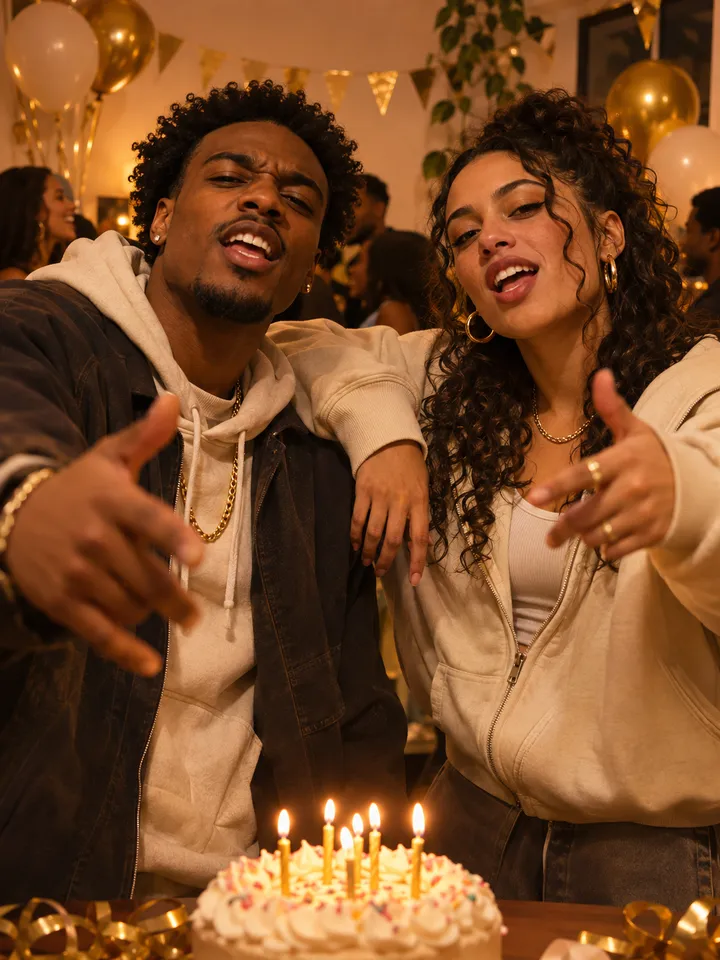
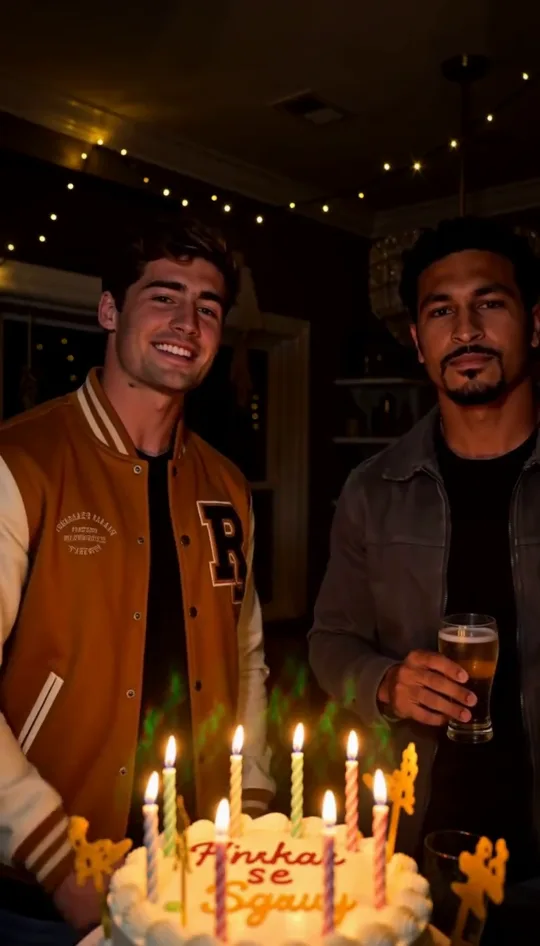
A birthday lead and a hype friend trade lines beside a candlelit cake. Start here if you want a birthday template trend with the familiar look of a party at home and a little more energy than a spoken greeting.

“Cake lights up, let the candles sway”
2 photos

Rooftop Birthday ToastMiniMax H3 sample

Two friends deliver a toast under string lights with the city behind them. Pick this birthday template trend for a birthday dinner, a milestone, or a friend whose style suits an evening skyline and a warm raised glass.

“Happy birthday, big cheers up here”
1 photo

Arcade Level-UpMiniMax H3 sample

One player steps into a neon arcade and treats another year as a new level. This birthday template trend makes sense for a gamer, a sibling who likes retro cabinets, or a friend who would laugh at a high score birthday wish.

“Happy birthday, new level unlocked”
3 photos

Kitchen Cake CrewMiniMax H3 sample

Three people turn a decorated kitchen into a cake crew. Choose this birthday template trend when the birthday star should be in the middle, with a cake captain on the left and a hype cook on the right.

“Aprons on, got the birthday beat”
2 photos

Long-Distance Birthday DuetMiniMax H3 sample

A sender and the birthday friend share a split frame with a different setting on each side. This birthday template trend suits friends in different cities and makes the separation part of the scene instead of asking two separate portraits to look like one group shot.

“Miles apart, still the same good crew”
1 photo

Birthday Spotlight SoloMiniMax H3 sample

One headliner performs under a gold spotlight with confetti on a dark theater stage. Choose this birthday template trend when you have a single clear portrait and want the birthday person to be the only face on screen.

“Happy birthday, cue the gold light”

What makes this birthday template trend a rap video?

A birthday video template trend can start with a montage, a dance, or a greeting. Here the format is a short performance. The scene sets the location, the people in your portraits become the cast, and the written birthday bars give the clip a beginning and a payoff. You can make it from still photos without filming anyone rapping.

Each birthday template trend scene has its own English verse. The arcade lines play with levels and high scores, while the rooftop verse works as a toast. On a two or three person scene, the lines are assigned to specific roles. That makes the order of your uploads part of the creative choice.

Pick a birthday template trend that fits the occasion

Decide who should appear first. For a wish from you to a friend, cast yourself as the sender in Long-Distance Birthday Duet. For a surprise centered on the recipient, use their portrait in Birthday Spotlight Solo and write your personal note when you send the video.

The mood matters as much as the headcount. A birthday template trend built around candles feels at home in a family thread. The arcade scene lands better with someone who enjoys the game reference. Rooftop Birthday Toast suits a quieter milestone wish. Choose an image and a scene the recipient would recognize as their kind of humor.

For a group birthday template trend, check who you can include before choosing a scene. Kitchen Cake Crew needs three individual portraits. If one person is missing, Candlelight Cypher can give two people distinct parts with the same warm party feeling. If you want to use only the recipient’s picture, pick a solo scene so the whole frame belongs to them.

Which photos work for the birthday template trend?

Start with a sharp portrait of each person whose photo you have permission to use. Look for a face that is easy to recognize at phone size, with light on both eyes and a visible mouth. A birthday template trend with close-up vocals is easier to follow when the lower face is clear of hands, scarves, props, and deep shadows.

For a duo or trio birthday template trend, choose a separate photo for each slot. A group picture can be a good source if you can crop it into individual portraits with clear faces. Compare the crops side by side. If one face is tiny or much darker, look for a clearer picture before you generate.

Read the role label above each slot before you upload. The birthday template trend uses that assignment to place each person and give them their lines. For the long-distance duet, the sender goes on the left and the birthday friend on the right. In the kitchen scene, save the center slot for the person you are celebrating.
Make a birthday rap video from your photos

Load a birthday template trend scene into the workbench and add the photos in the role order shown. If your images are on your phone while the workbench is open on a computer, use the upload QR option beside the photo slot. Check the thumbnails before moving on so the greeting comes from the person you intended.

Choose the duration and output shape next. A five-second birthday template trend clip makes a quick wish for a message. A ten-second cut gives a duet more room to trade lines. If a compatible model offers fifteen seconds, that length can make room for the full written verse. Check the available choices after choosing your model.

Check the price or credit quote before you generate. The birthday template trend uses the same workbench as other original scenes, so the model and settings affect the quote. When the clip is ready, play it with sound, check that the faces and roles make sense, and download the MP4 for sharing.

Frame your birthday template trend for the way you will share it

Choose vertical video when the birthday video template trend is headed for a phone story or a vertical feed. Choose landscape if the clip will play on a television or in a widescreen party slideshow. Square can be a useful middle ground for a chat or feed when the selected model offers it.

In a private message, pair the birthday template trend clip with a line only the recipient would understand. In a public post, add a brief caption that explains who is celebrating and check that everyone pictured is comfortable appearing there. If the clip will play at a party, test it with sound on the speaker you plan to use.

Check the birthday template trend clip before sharing

Watch your birthday template trend clip once on the device you plan to use. Check whether each person looks recognizable, whether the greeting is easy to hear, and whether the video fills the intended frame. If the clip will be part of a slideshow, check the transition from the previous photo as well.

If you decide to render the birthday template trend again, change the input that matches the problem. Try a clearer portrait when a face is hard to recognize. Use a shorter cut when the greeting needs to fit a tight spot in a montage. If only your written note needs a change, edit the message that accompanies the clip.

Birthday video questions

How many photos do I need for the birthday template trend?

One, two, or three, depending on the scene. Arcade Level-Up and Birthday Spotlight Solo take one portrait. Candlelight Cypher, Rooftop Birthday Toast, and Long-Distance Birthday Duet take two. Kitchen Cake Crew takes three.

Can I write my own lyrics for a birthday template trend scene?

These six scenes come with written English birthday verses and assigned parts. For your own verse or a name you want included in the performance, open Make Your Own in the main RapVid workbench and enter your lyrics there.

Do I need to record a song for the birthday template trend?

A portrait per role is enough to start. The generator uses the chosen scene and its written lines to create the rap performance. Pick a clear face so the mouth stays easy to see during the verse.

Can I make a birthday template trend video for myself?

Yes. Put your own portrait in Birthday Spotlight Solo for a stage entrance or in Arcade Level-Up for a gaming themed birthday post. Use a duet scene when you want a friend to appear alongside you.

Can I make a birthday template trend video without an account?

The workbench supports a single video purchase for guests. If you sign in and have credits, you can choose the credit option. Review the quote for the exact scene, model, and settings before submitting.

Make a birthday rap